


Run your restaurant in Lebanon from a tablet
Take orders at the table, run the kitchen screen and update your menu from an iPad or Android tablet. Same account as the web.
Create your digital menu in minutes
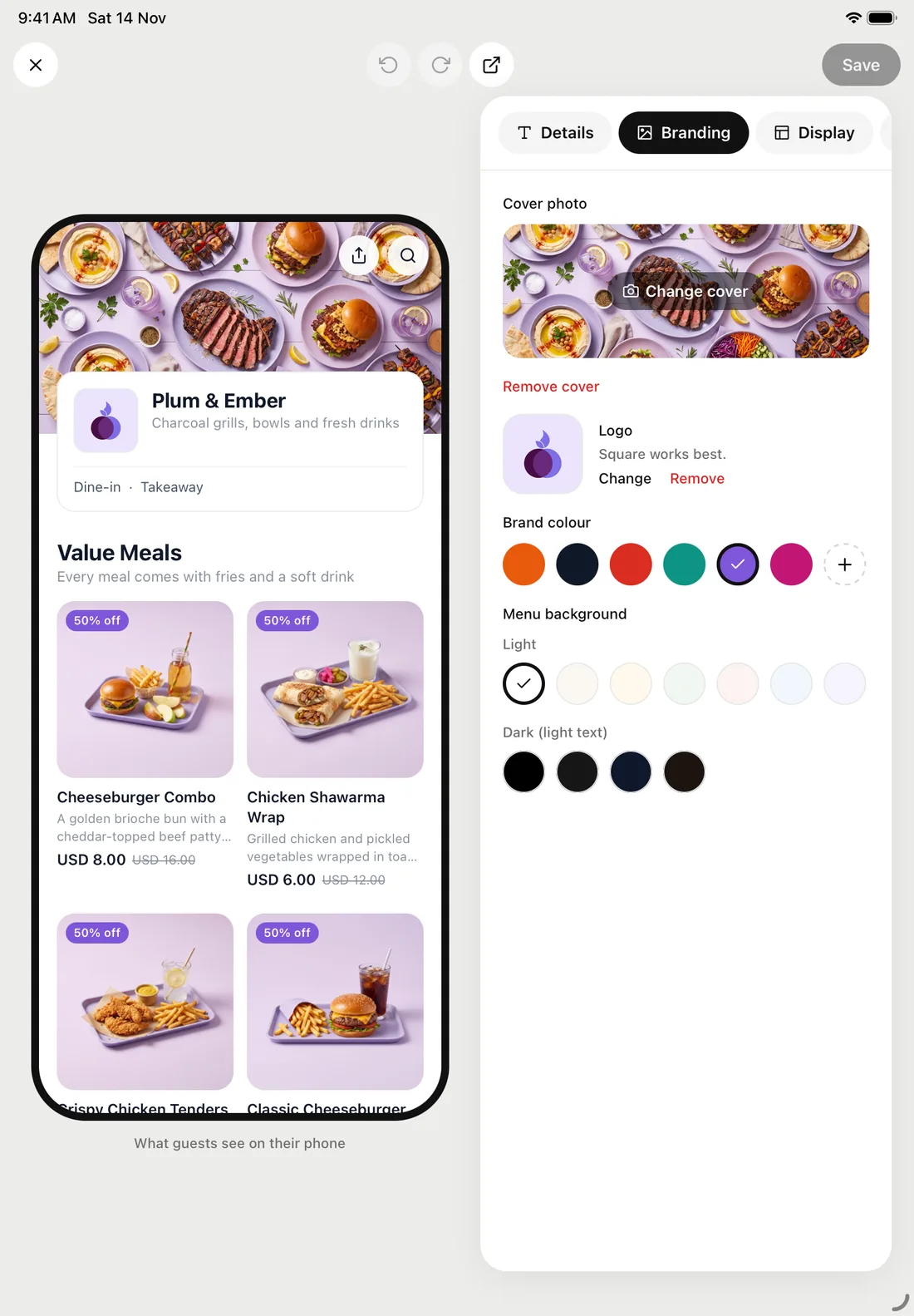
Design your menu on the big screen with the guest view right next to the editor. Every change shows in the preview before you save.
- Logo, cover photo and brand colour
- Light or dark menu background
- Your QR codes never change
A restaurant POS for taking orders at the table
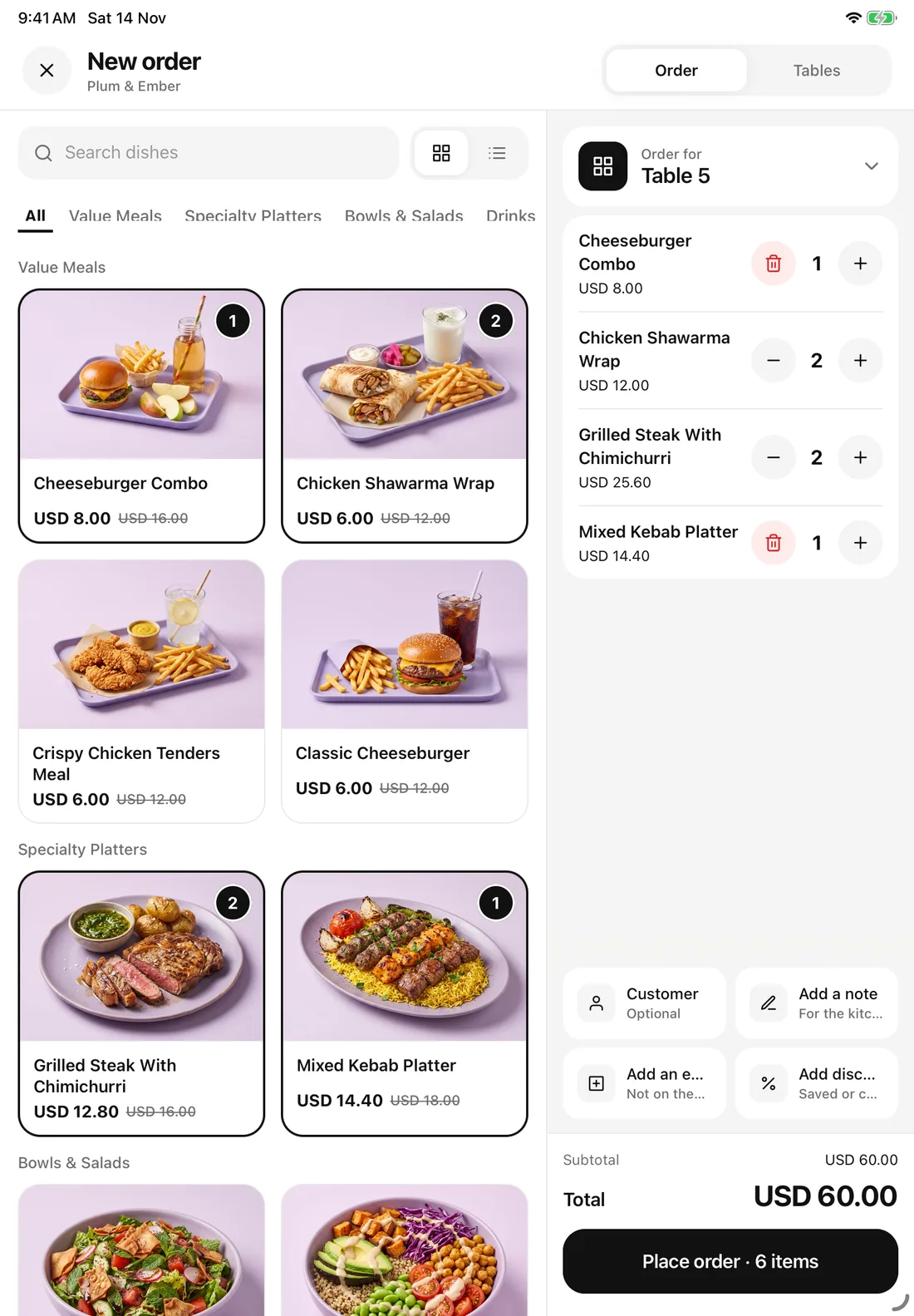
Tap dish photos, pick the table and send it to the kitchen. Built for waiters and the counter, with big tiles you can hit on a busy night.
- Grid or list view, search and sections
- Add a customer, a note for the kitchen, an extra or a discount
- Takeaway and counter orders too
Every order in one place
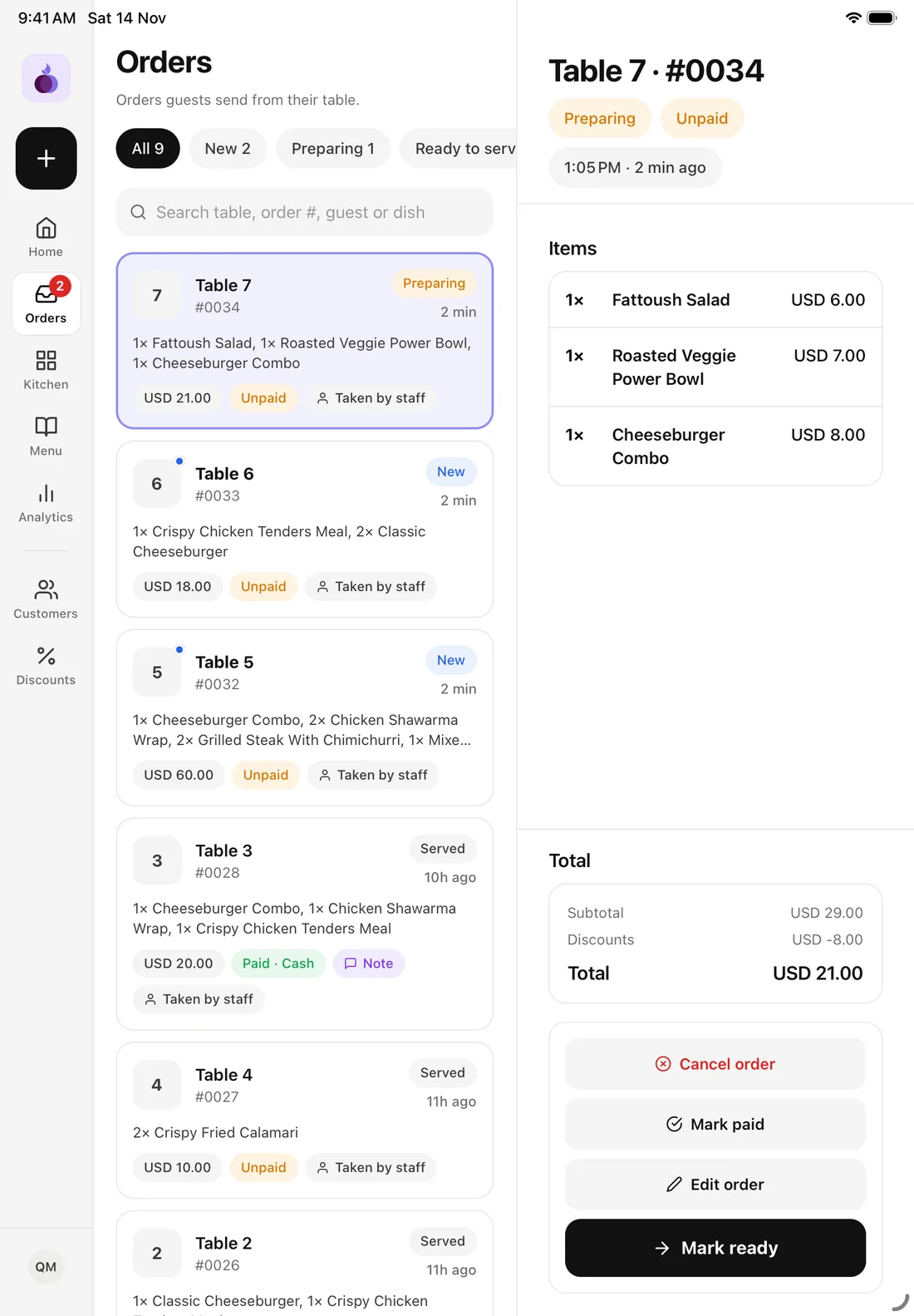
Table orders from guests and orders taken by staff land on one live list. Open one to see the items, the total and the next step.
- From new to preparing, ready and served
- Mark paid by cash or card
- Edit or cancel an order in a tap
A kitchen display screen on any tablet
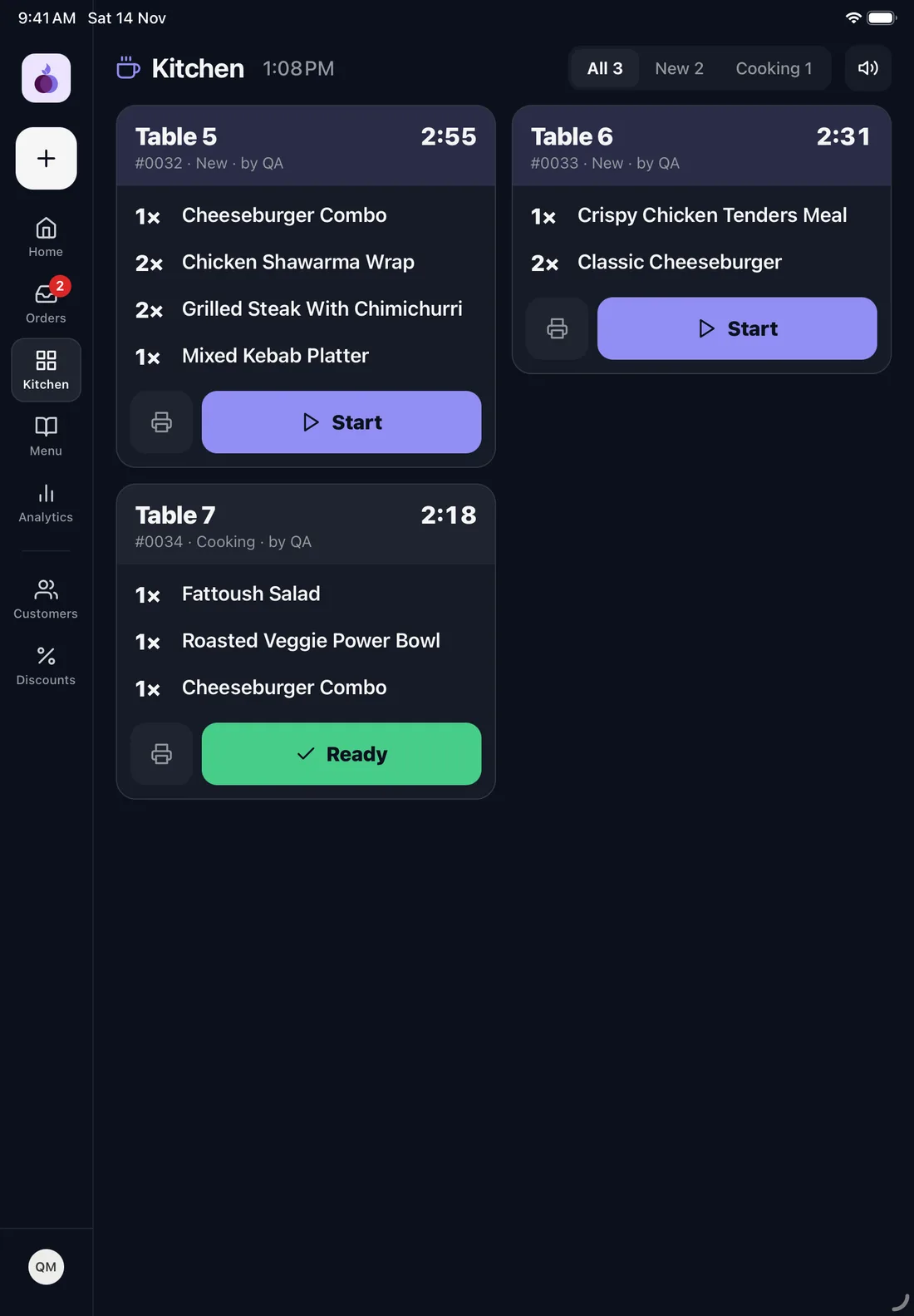
Put a tablet on the pass. Tickets land the second guests order, with a timer on each one and a sound for new orders.
- Start and Ready on every ticket
- Dark screen, easy to read from a distance
- Print a ticket when you need paper
Update menu prices in seconds
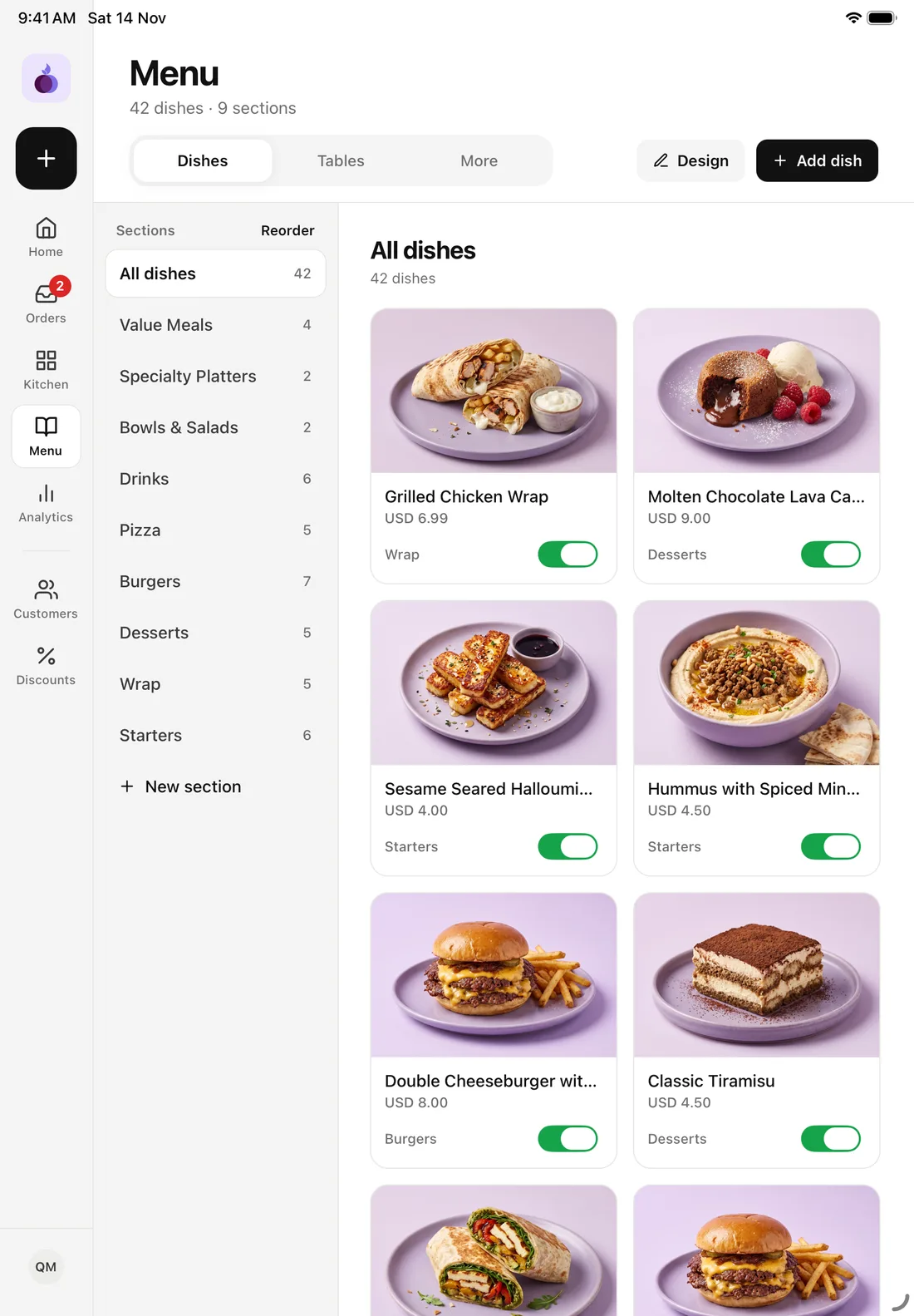
Sections on the left, dish photos on the right. Change a price or switch off a sold-out dish and every table sees it right away.
- Turn dishes on and off with one switch
- Add dishes with photos and choices
- Reorder sections by dragging
Know what sells
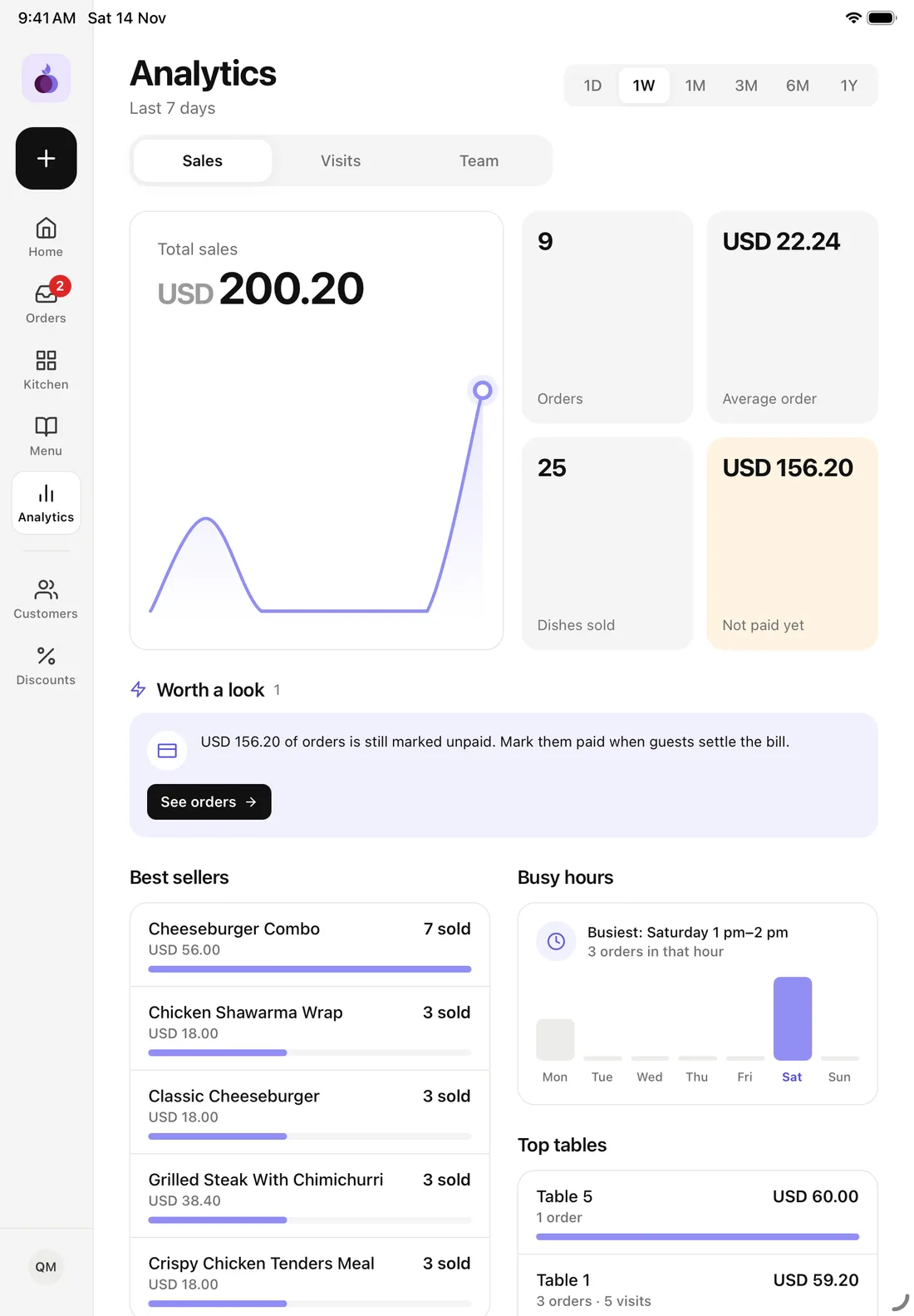
Today’s sales, orders and average order at a glance, with your best sellers, busy hours and top tables underneath.
- Day, week, month or year
- Unpaid orders flagged for you
- Best sellers and busiest hours
Built for a busy service
One iPad, the whole team
Lock the tablet and let each person unlock it with their own PIN. Waiters see only what they need.
Prints tickets and bills
Connect a Wi-Fi or network receipt printer, or print with AirPrint. New orders can print on their own.
Any way you hold it
Every screen is made for the tablet, in portrait and landscape.
Same account everywhere
Your menu, orders and team are the same on the tablet, your phone and app.kartee.tech.
Questions
Which tablets does Kartee work on?
Kartee runs on iPad and on Android tablets. Download the Kartee app and sign in with your Kartee account.
Do I need a separate account for the tablet?
No. Sign in with the same account you use on the web or your phone. Your menu, tables and orders are already there.
Can several staff share one iPad?
Yes. Turn the iPad into a shared device and each team member unlocks it with their own PIN. It locks again when nobody uses it.
Which printers can I use?
Wi-Fi or network (LAN) receipt printers that speak ESC/POS, such as most 80 mm kitchen printers, and any AirPrint printer on iPad.
Do guests still order from the QR code?
Yes. Guests keep ordering from the QR code on their table. Their orders land on the tablet next to the ones your staff take.


Put your restaurant on a tablet
Free for 14 days. No card needed.